Telegram outreach from your own account
Use your own Telegram account to follow up with people you know. Review the first DM, stop the sequence when they reply, and keep the next step beside the conversation.
To try this, you’ll need your Telegram account and a contact’s username. You can explore the worksheet without signing in.
From a Telegram username to a reply
Import your contacts
In the sample CSV, replace Maya with your contact. Put their username in handle, then fill in first_name and company. Upload the file to a Telegram lead list.
Write the opener and follow-up
Choose a Telegram list and sending account for your campaign. Write the opener, add one follow-up and choose its delay. Set sending hours and select first-message review before launching.
Launch, then review the first message
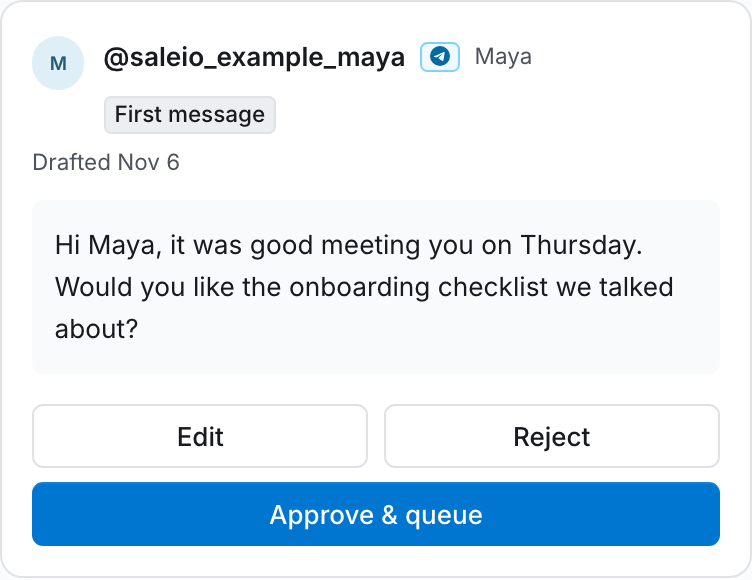
In review mode, launch prepares drafts. Edit, reject, or approve each opener. Approval queues it for your sending schedule. If the person replies, the scheduled follow-up stops.
Record the next step
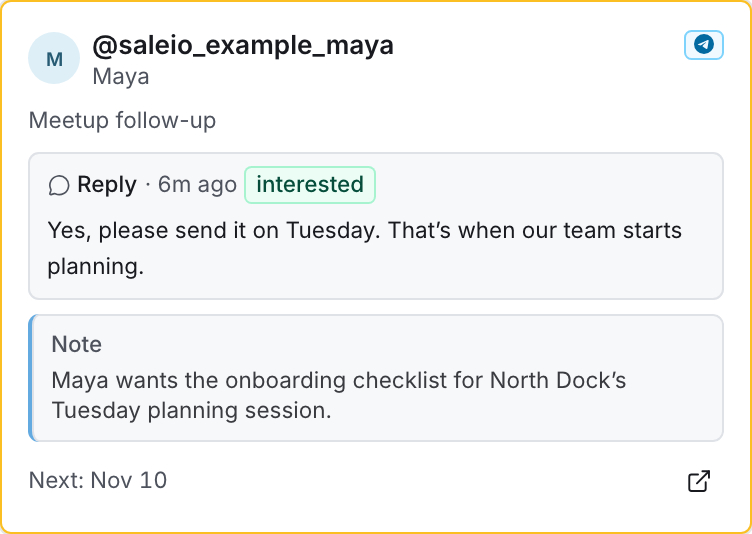
Open the reply in your inbox. Save what you promised on the lead’s CRM card and set a reminder for the day you need to follow up.
Telegram follow-up worksheet
Maya asked for a checklist after a meetup. Use this fictional example to plan your own conversation.
Download as Markdown- First message to review
- Hi Maya, it was good meeting you on Thursday. Would you like the onboarding checklist we talked about?
- Follow-up if there is no reply
- Hi Maya, I still have that checklist handy. Would it be useful for the next round of onboarding at North Dock?
- Reply that stops the follow-up
- Yes, please send it on Tuesday. That’s when our team starts planning.
- CRM note
- Maya wants the onboarding checklist for North Dock’s Tuesday planning session.
- Reminder
- Tuesday morning: send Maya the checklist in the existing Telegram conversation.